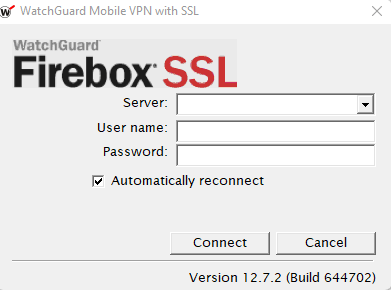
To access our network from home, please connect to the VPN with the following information:
Server: remote.blueskydigitalprinting.com
User: (example: kblevins)
Password: (same as pc)
*If the VPN is not connecting, it can either be caused by an issue with your network connection, your network password being expired or an issue with the configuration. The best rule of thumb is to attempt a reboot of your computer and try to connect to the VPN again. If the issue persists, please contact the Helpdesk for further assistance.
Was this article helpful?
That’s Great!
Thank you for your feedback
Sorry! We couldn't be helpful
Thank you for your feedback
Feedback sent
We appreciate your effort and will try to fix the article